
Pinterest Affiliate Marketing for Beginners: How the Setup Works
A lot of beginners hear about using Pinterest for affiliate marketing, but the setup can feel confusing at first.
Pinterest itself does not pay you for pinning. Instead, Pinterest can be used as a traffic source that sends interested readers to helpful content, useful pages, and relevant recommendations.
That is where affiliate marketing can fit in.
The idea is simple:
You create useful pins.
Those pins send people to helpful content.
That content gives readers a clear next step.
In this guide, you’ll see how the basic Pinterest affiliate marketing setup works in a simple, beginner-friendly way.
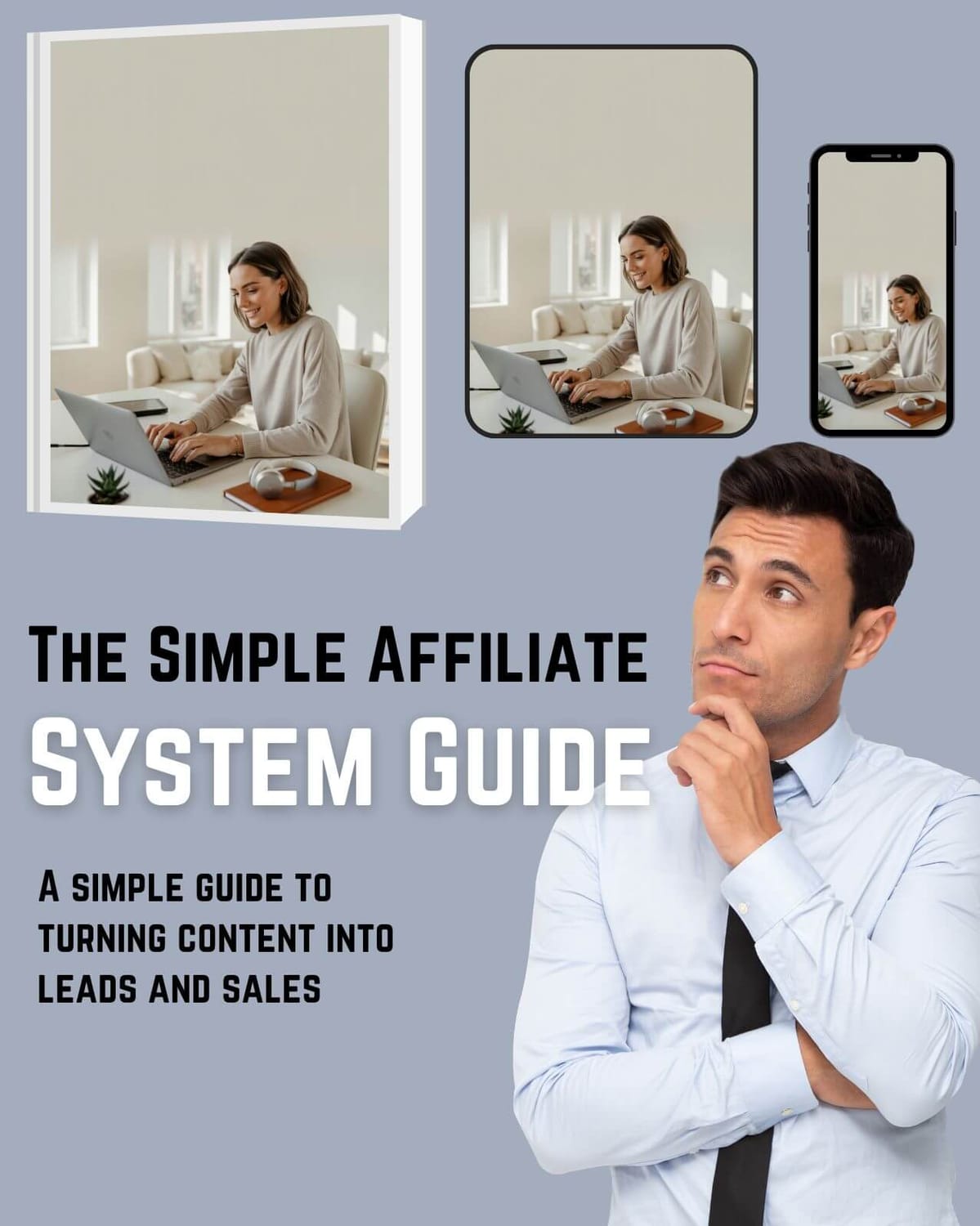
Free Setup Guide
Want the Simple Pinterest Affiliate Setup?
See how content, traffic, and follow-up can work together in a clear beginner-friendly way.
- Simple 3-step setup
- Built for beginners
- Covers pages, traffic, and follow-up
Disclosure: At no cost to you, I may earn commissions from links in this post.
What Is Pinterest Affiliate Marketing?
Pinterest affiliate marketing means using Pinterest as a traffic source for helpful content that may include affiliate links.
You create pins around topics people are already searching for.
When someone clicks your pin, they go to your blog post, landing page, or resource page. From there, they can learn more, join your email list, or check out a tool or product you recommend.
Pinterest is not the payment platform.
Pinterest is the discovery platform.
That means your job is not to spam links everywhere. Your job is to create useful content that helps the right reader take the next step.
A simple Pinterest affiliate setup can include:
helpful pins
blog posts or landing pages
affiliate links with clear disclosure
an opt-in page
email follow-up
useful product or tool recommendations
When these pieces work together, Pinterest can become part of a simple online setup.
The Simple 3-Step Pinterest Affiliate Setup
The basic setup does not need to be complicated.
A beginner-friendly Pinterest affiliate setup usually has 3 main parts:
Pick one clear niche
Create helpful Pinterest content
Send readers to a simple next step
Let’s break that down.
Step 1: Pick one clear niche
The first step is choosing a clear topic.
A niche helps Pinterest understand what your account is about. It also helps readers know why they should follow your content or click through to your page.
Good Pinterest-friendly niches often include:
work from home
budgeting
blogging
online business tools
digital products
printables
home organization
recipes
wellness
productivity
parenting
travel planning
For affiliate marketing, it helps to choose a niche where people are already looking for solutions, tools, ideas, or next steps.
You do not need to choose the perfect niche forever.
You just need a clear starting point.
Beginner tip
Avoid trying to post about too many topics at once.
A focused Pinterest account is usually easier to grow and easier for readers to understand.
If you want help finding Pinterest keywords and topic ideas, a tool like PinClicks can make the research process easier. It can help you see what people are searching for on Pinterest, so you can plan content around topics that already have interest.
You do not need a tool to begin, but it can be helpful when you want a clearer way to research keywords, topics, and pin ideas.
Step 2: Create Helpful Pinterest Content
Pinterest works best when your pins match what people are already searching for.
That means your pin should not only look nice. It should also be clear.
A good Pinterest pin usually has:
a clear topic
simple text overlay
a useful promise
a clean image
a matching blog post or page
For example, instead of making a vague pin like:
Online Business Tips
You could make a clearer pin like:
Pinterest Affiliate Marketing for Beginners
or:
Simple Pinterest Setup for Affiliate Content
That tells the reader what they are clicking for.
Beginner tip
Pinterest users often save ideas for later.
So your pins should feel helpful, practical, and easy to understand.
It also helps to keep your posting routine organized. Once you have several blog posts or pin ideas, a scheduling tool can make it easier to plan content ahead instead of posting everything manually.
You do not need a scheduler to begin, but it can be helpful once you want a cleaner routine and a better way to manage your pins.
Step 3: Send Readers to a Simple Next Step
Once someone clicks your pin, they need a clear next step.
This could be:
a helpful blog post
an opt-in page
a free guide
a resource page
a product review
a tool recommendation
This is where many beginners get stuck.
They create pins, but the page after the click does not guide the reader clearly.
A better setup looks like this:
Pinterest pin → helpful page → free guide or useful recommendation → follow-up
That flow feels much smoother than sending people straight from a random pin to a hard sales page.
You might like: Why Pinterest Traffic Feels Useless at First
Why Pinterest Can Work Well for Affiliate Content
Pinterest can work well for affiliate content because people use it to search, save, plan, and compare ideas.
They are often looking for:
ideas
tools
guides
tips
examples
solutions
beginner-friendly steps
That makes Pinterest a good fit for helpful content.
For example, someone might search for:
work from home ideas
Pinterest marketing tips
affiliate marketing for beginners
blogging tools
digital product ideas
ways to start a simple online setup
If your pin and page match what they are looking for, you have a better chance of getting a useful click.
The key is to keep the content helpful and clear.
Build Helpful Pages, Not Just Pins
Pins can bring people to your site, but the page they land on matters just as much.
A good page should help the reader understand the topic better.
For affiliate marketing, your page might include:
a beginner guide
a product comparison
a tool roundup
a checklist
a tutorial
a resource list
a review-style article
The goal is to help the reader make sense of the topic.
Affiliate links should fit naturally inside the content. They should not feel forced or random.
Example
If your post is about Pinterest scheduling tools, it makes sense to mention a Pinterest scheduler.
If your post is about starting a blog, it may make sense to mention a domain or website tool.
If your post is about email marketing, it may make sense to mention an email platform.
Keep the recommendation useful and relevant.
Build an Email List for Simple Follow-Up
Pinterest traffic can rise and fall.
That is why email follow-up can be useful.
When someone joins your email list, you can stay in touch with readers who want to keep learning.
With simple follow-up, you can:
share useful content
explain tools with more context
build trust over time
send readers to helpful posts
guide people to a clear next step
This does not need to be complicated.
A simple email sequence can help new subscribers understand who you are, what you teach, and where to begin.
If you want to keep the setup simple, it helps to use one beginner-friendly tool that can handle your pages, opt-in forms, and email follow-up in the same place.
You do not need a complicated tech stack to begin. Start with the basic pieces first, then improve the setup as you learn what your readers respond to.
📘 Want to See the Full Affiliate Setup?
If you want a clearer look at how the pieces fit together, this free guide walks through the setup in a simple beginner-friendly way.
Related Reading: 5 Proven Ways to Make Money on Pinterest
What to Track as a Beginner
You do not need to track everything.
Start with a few simple numbers:
pin impressions
outbound clicks
blog visitors
opt-ins
email clicks
next-step actions
Instead of obsessing over every small change, look for patterns.
Ask:
Which pins get clicks?
Which topics bring better traffic?
Which pages get opt-ins?
Which emails get clicks?
Which recommendations feel relevant to readers?
These numbers help you understand what is working.
Pinterest usually takes time, so data is more useful when you look at it over weeks and months.
Common Beginner Mistakes to Avoid
Pinterest affiliate marketing can feel simple on the surface, but beginners often make a few common mistakes.
1. Posting random affiliate links
Pinterest works better when the pin leads to helpful content or a useful page.
Random links usually feel low trust.
2. Choosing too many niches
If your account covers too many unrelated topics, Pinterest and readers may struggle to understand your focus.
Start with one clear topic first.
3. Making pins that do not match the page
If your pin promises one thing but your page talks about something else, readers may leave quickly.
Match the pin, title, image, and page content as closely as possible.
4. Ignoring the follow-up
Many readers will not take action the first time they visit.
A free guide and email follow-up can help you stay connected with interested readers.
5. Expecting fast results
Pinterest usually needs time.
Pins may take days, weeks, or even longer to show useful data. Consistency and testing matter.
Best Types of Affiliate Content for Pinterest
Good options include:
Beginner guides
Example:
Pinterest Affiliate Marketing for Beginners
These are useful because they help readers understand a topic from the start.
Tool roundups
Example:
Best Tools for Starting a Simple Online Setup
These work well when the tools are relevant and clearly explained.
Tutorials
Example:
How to Create a Simple Landing Page
Tutorials can work because they solve a specific problem.
Comparison posts
Example:
Tool A vs Tool B for Beginners
Comparison posts help readers make decisions.
Resource lists
Example:
Helpful Resources for Pinterest Beginners
These are useful when the list feels curated and not random.
The best content helps the reader take one small next step.

How Long Does Pinterest Take?
Pinterest is not always instant.
Some pins may get clicks quickly. Others may take more time.
A simple way to think about it:
Month 1: setup and testing
Month 2: more pins, more topics, more data
Month 3+: clearer patterns and stronger decisions
This is not a guarantee.
Every niche, account, and content strategy is different.
But in general, Pinterest works better when you give your pins time to age and keep improving based on data.
How to Keep the Setup Simple
A simple Pinterest affiliate setup can look like this:
1. Choose one topic
2. Write one helpful blog post
3. Create multiple pins for that post
4. Send readers to a free guide or useful next step
5. Follow up by email
6. Track what gets clicks
7. Improve over time
You do not need 20 offers.
You do not need 10 funnels.
You do not need to post about everything.
Start simple.
Then improve as you learn.
Recommended Tools to Keep It Simple
You do not need a huge stack of tools to make Pinterest affiliate marketing work.
For most beginners, a simple setup is enough:
Systeme.io for landing pages, opt-ins, and email follow-up
SmarterQueue for posting more consistently on Pinterest
Bluehost only if you want to build a blog around your affiliate content
If you want the beginner-friendly setup first, it’s all explained inside this free guide.
Final Thoughts
Pinterest affiliate marketing can be a useful setup to explore if you like content, helpful recommendations, and long-term traffic.
The safest way to approach it is not by posting random links or chasing shortcuts.
A better approach is to build a simple path:
pin → helpful content → clear next step → follow-up
That keeps the reader experience smoother and makes your setup easier to understand.
Start with one niche.
Create helpful content.
Make clear pins.
Build a simple next step.
Then use your data to improve over time.
Related Reading: How to Get Paid to Pin on Pinterest (Easy Ways)
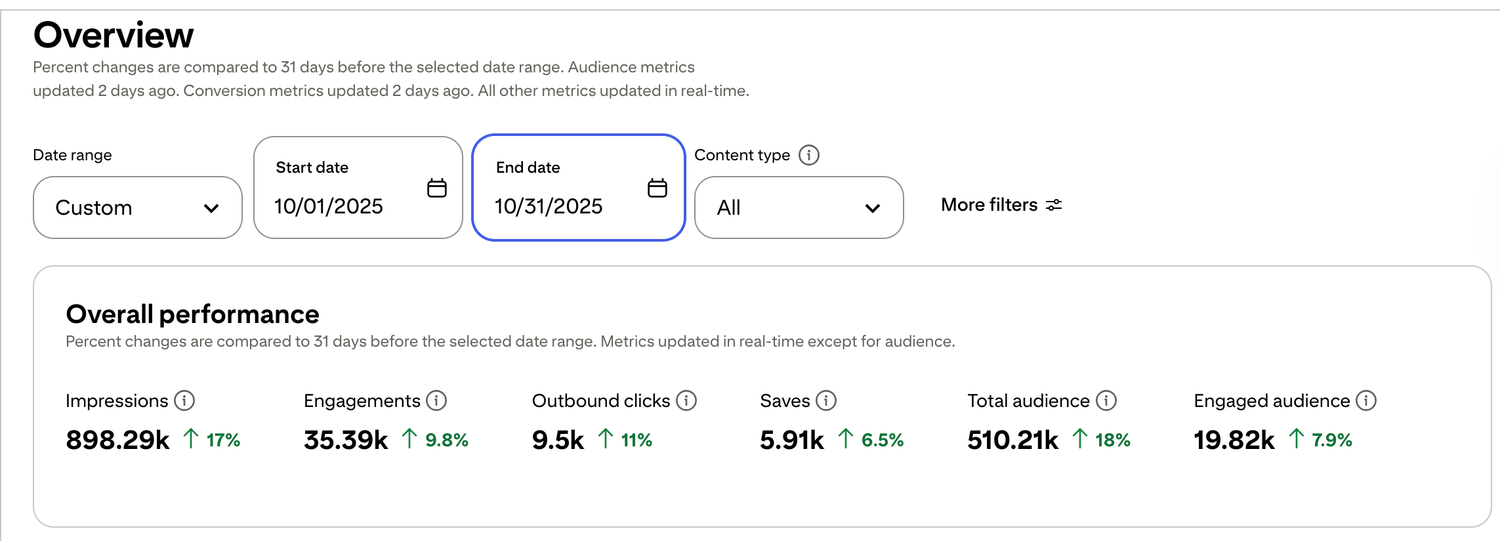
🎯 See a Real Pinterest Traffic Example
This snapshot shows how content, pin design, and posting can work together over time.
Pinterest Affiliate Marketing FAQ
Does Pinterest allow affiliate links?
Yes. Pinterest allows affiliate links, but always disclose them and avoid spammy tactics. Focus on helpful pins, clear landing pages, and honest recommendations.
Do I need a blog to do Pinterest affiliate marketing?
Not always. But blogs or simple landing pages often convert better because they build trust, give context, and guide the reader to one clear next step.
How long does it take to make money with Pinterest affiliate marketing?
It depends on your niche and consistency. Most people see traction after several weeks of consistent pinning and testing different pin angles.
Why am I getting clicks but no sales?
Common reasons:
- Wrong niche or offer
- Unclear landing page
- No follow-up email
- Not enough pins tested
Fix those first, and conversions usually improve quickly.
Want to see how the full setup fits together? Start with the free setup guide . It walks through the pages, follow-up, and simple structure step by step.

Free guide for beginners who want a simpler starting point
🎯 Ready to See the Free Guide?
Download the guide and explore the simple setup inside.
🔒 100% Secure • No Spam • Unsubscribe Anytime

A blog sharing practical tips on online tools, affiliate marketing, beginner-friendly workflows, and working from home.


